Clearer titles
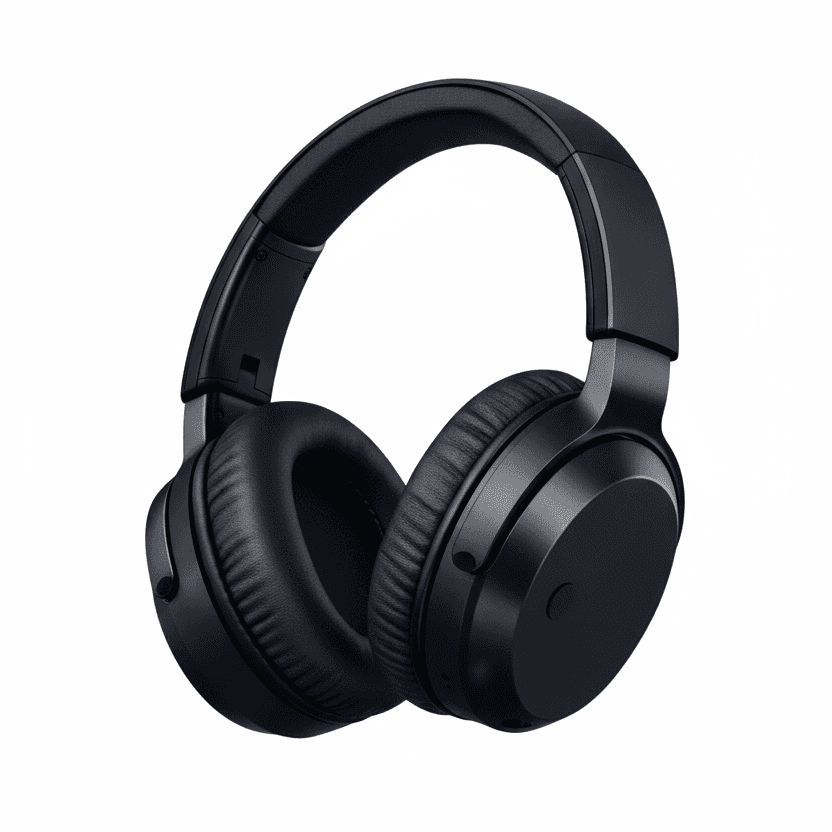
- Before
- Headphones
- Suggested
- Wireless Over-Ear Headphones - Black
Clearer titles and product details for your Google Shopping ads.
Illustrative examples.


Prices and availability stay unchanged.
Why the details matter
Shopping ads use the product information in Merchant Center to match products to searches, rather than a list of keywords you choose. Your feed describes what you sell; campaign settings help determine where and when ads can appear.
Illustrative journey. A match does not guarantee an ad will appear.
A title such as “Sweater” leaves out information a shopper may be looking for. A more specific title can identify the product type, brand, material and variant when those details are supported by the product record. Put the most useful information first.
Google’s title guidanceProduct features, specifications and materials give Google and shoppers more context. Repeating your store’s delivery policy or a generic sales message says little about the item. A useful description stays specific to the product and consistent with its landing page.
Google’s description guidanceSeparate fields for color, size, material and other details help describe exactly which version is available. A detail in the title does not replace a required attribute. Requirements vary by product and market, and missing facts need checking rather than guessing.
Google’s product data specificationRelevance and eligibility
Accurate details help describe the right product for a search. Eligibility is a separate question: required information, Google’s policies and consistency between your feed and website determine whether a product can be shown.
Better wording cannot repair an incorrect price, unavailable stock or a policy issue. Demand, pricing, shipping and campaign settings still matter. Clearer data does not guarantee approval, traffic or orders.
How the review works
Available to selected RetailerBoost stores after review. Your options depend on product data, account access and the updates supported for your setup.
Preview a product titleWe review the Merchant Center products in scope and prepare suggestions.
See current and suggested values, with reasons and gaps for you to check.
Use available downloads yourself, or explicitly authorize supported updates. Reading or downloading a report applies no changes.
Your store pages and original feed stay in place. Merchant Center updates can affect other campaigns or free listings using the same products. Review the scope with your agency or feed manager.
Part of your Shopping setup
Feed quality describes the products. Campaign selection determines which products to promote. RetailerBoost funds and manages the campaigns we run; you pay the agreed commission on attributed orders.
New to Google Shopping? Explore campaigns across your eligible catalog.
Already advertising? Explore selected product segments alongside your existing campaigns.
Selling across borders? Check language, currency, shipping and market readiness.
Connect your store to RetailerBoost for tracking, reporting and direct billing.
Have an affiliate program? Explore tracking and payment through your network. Feed optimization and Google access are confirmed separately.
It is available to selected RetailerBoost stores after review. The report and supported updates depend on your account, product data and Merchant Center access. Some stores can review and download suggestions without automatic application. Ask us to confirm what is available for your setup.
No. Reading your report or downloading its files applies nothing. Supported automatic updates require you to review the examples, choose the kinds of changes and explicitly authorize them for the stated product scope.
RetailerBoost product feed optimization does not edit your store pages or original feed. We never add or change GTIN, MPN, price or availability. Missing identifiers and other gaps can be flagged for you or your feed manager to check.
Yes. Missing details added to shared Google product records can affect other ads and free listings using those records. Where titles or descriptions use a RetailerBoost copy feed, other Shopping or Performance Max campaigns in the same Merchant Center may also show those copies unless they use only your own feed label. Review the disclosure and coordinate with whoever manages your existing feeds and campaigns before authorizing updates.
Yes. You can turn it off and request removal of the RetailerBoost changes. We stop new updates and remove our data source or copy feed. Google can take time to process removal, and continued Google access is needed for us to complete it. If access is removed, we provide removal instructions.
No. Clearer product information can help describe what you sell, but it does not guarantee approval, visibility or sales. Product eligibility, demand, pricing, shipping and your store still matter. RetailerBoost funds and manages the campaigns we run; you pay the agreed commission on attributed orders.
Customer experiences
Reviews of the campaign service.
“Working with RetailerBoost is one of those things that doesn't take forever, it's a flick of a button and one of the biggest, quickest wins I have ever experienced.”
“This is a very good system, you only pay if you the sales. percentage you pay %12. We use it with our ecommerce site www.hppart.uk we sell original HP laptop and computer parts.”
